



How an exchange works

From hello to a saved contact, in seconds

No app needed on their side. Nothing to type on yours. Here’s exactly what happens when you meet someone with azzapp.

At a glance

Quick and simple contact exchange,
for both of you

A few seconds for you. Nothing to install for them.

Youazzapp user
ThemNo app needed
  1. 1
    Ask their name and numberOpen azzapp and record. That’s all.
  2. 2
    Just say it out loudNo app, no phone needed.
  3. 3
    Tap Send to share your contactA pre-filled WhatsApp or SMS goes out.
  4. 4
    Receive your contactOne tap, whenever they want.
  5. 5
    Add context by voiceazzapp creates tags, sets a reminder and suggests a message.

You: 3 taps and a few words. Them: just their name, their number, and one tap.

Step by step

Here’s exactly how it works

1Meet for real

Two people meet, for real

A trade show, a client meeting, a coffee, a dinner. Real networking still happens face to face. azzapp doesn’t get in the way of the conversation.

  • No cards to hand over, no awkward phone swapping.
  • Stay focused on the person in front of you.

Two people meeting and shaking hands at an event

2Ask by voice

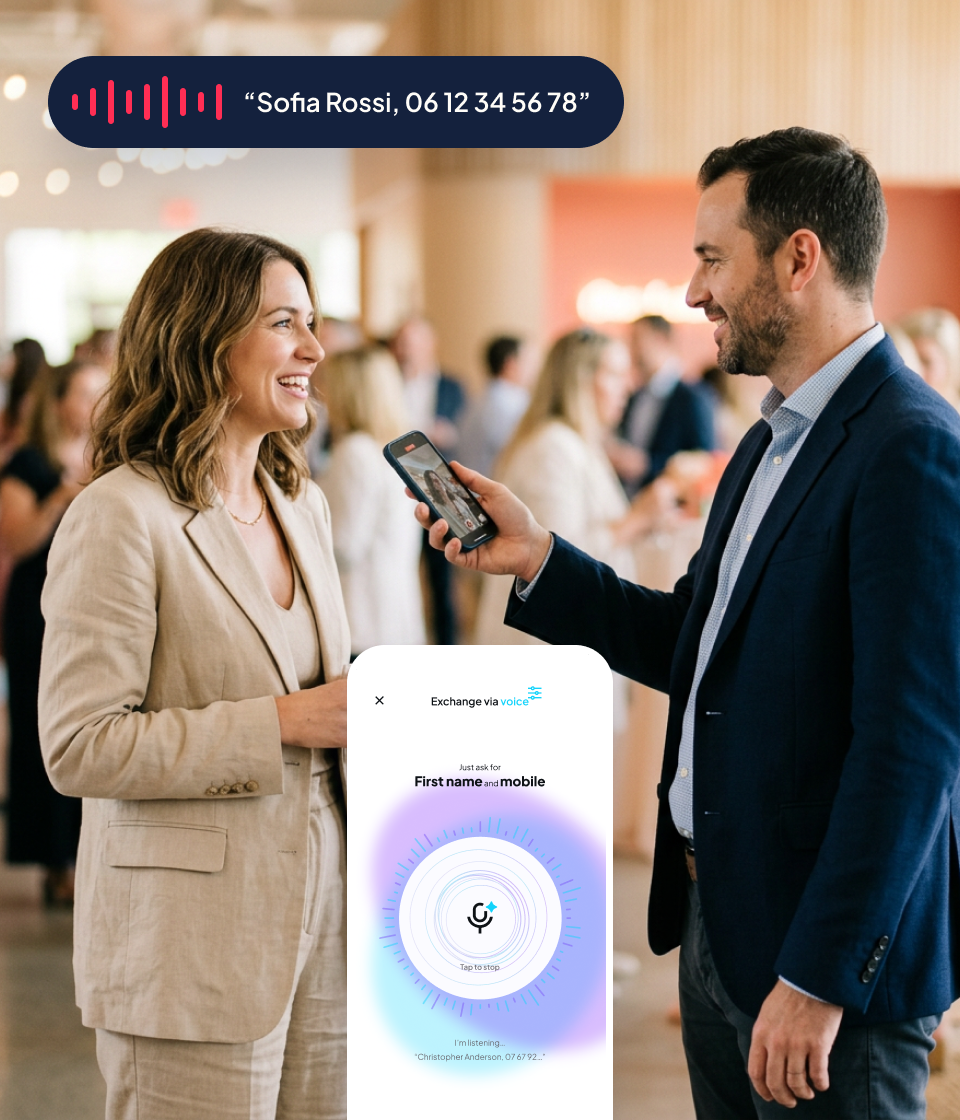
Just ask their first name and phone number

You open azzapp and record. They simply say their name and number out loud. That’s it: easy, quick and never intrusive.

  • They don’t need the app, or even their phone.
  • No typing, no spelling mistakes, no forms.
  • Done in a few seconds, without breaking the conversation.
A person recording a new contact by voice

3Send in 1 click

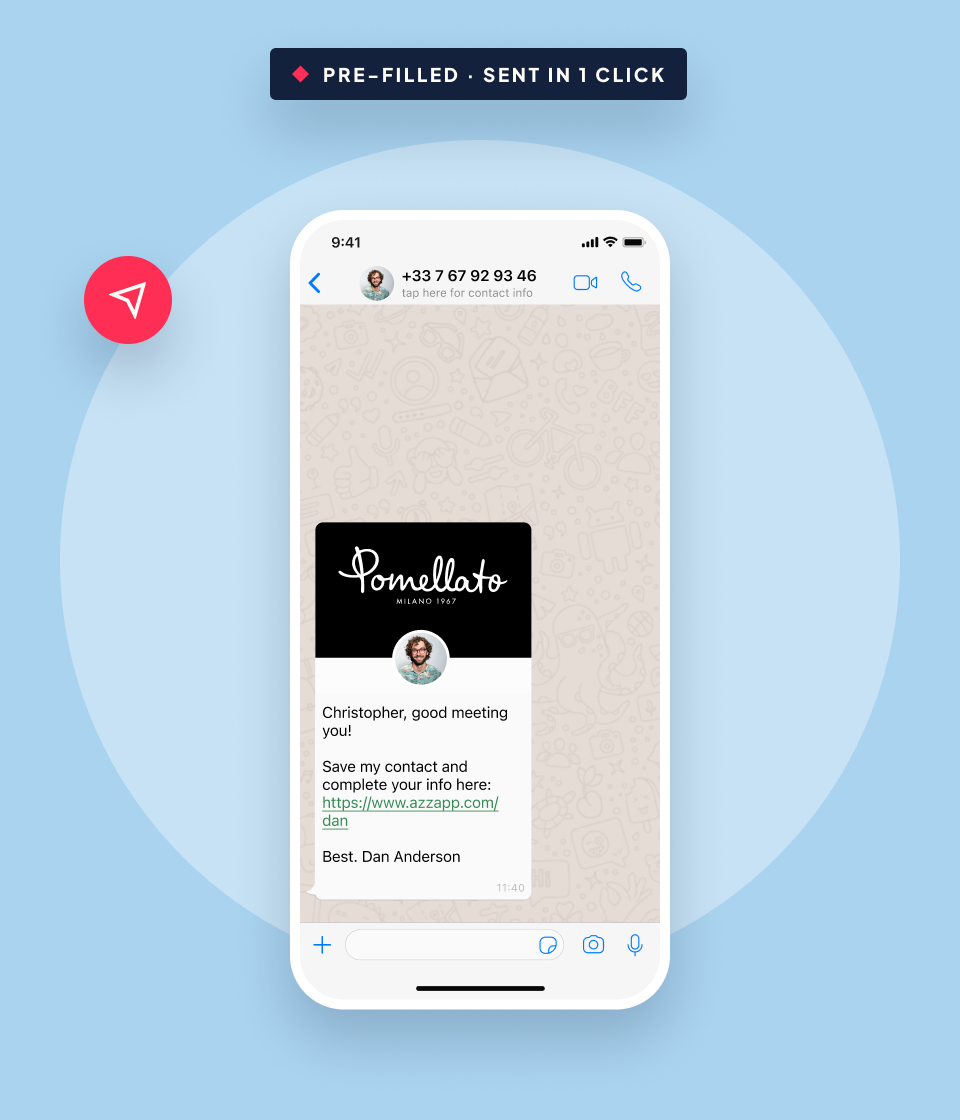
Send your card in one click, by WhatsApp or SMS

The contact is created. One tap, and a pre-filled message with a link to your card goes out. It lands right at the top of their WhatsApp or SMS feed.

  • A personal, pre-filled message, ready in seconds.
  • WhatsApp or SMS, whichever they use.
  • You don’t have to type a single word.
A pre-filled contact sharing message on a phone

4They save it, anytime

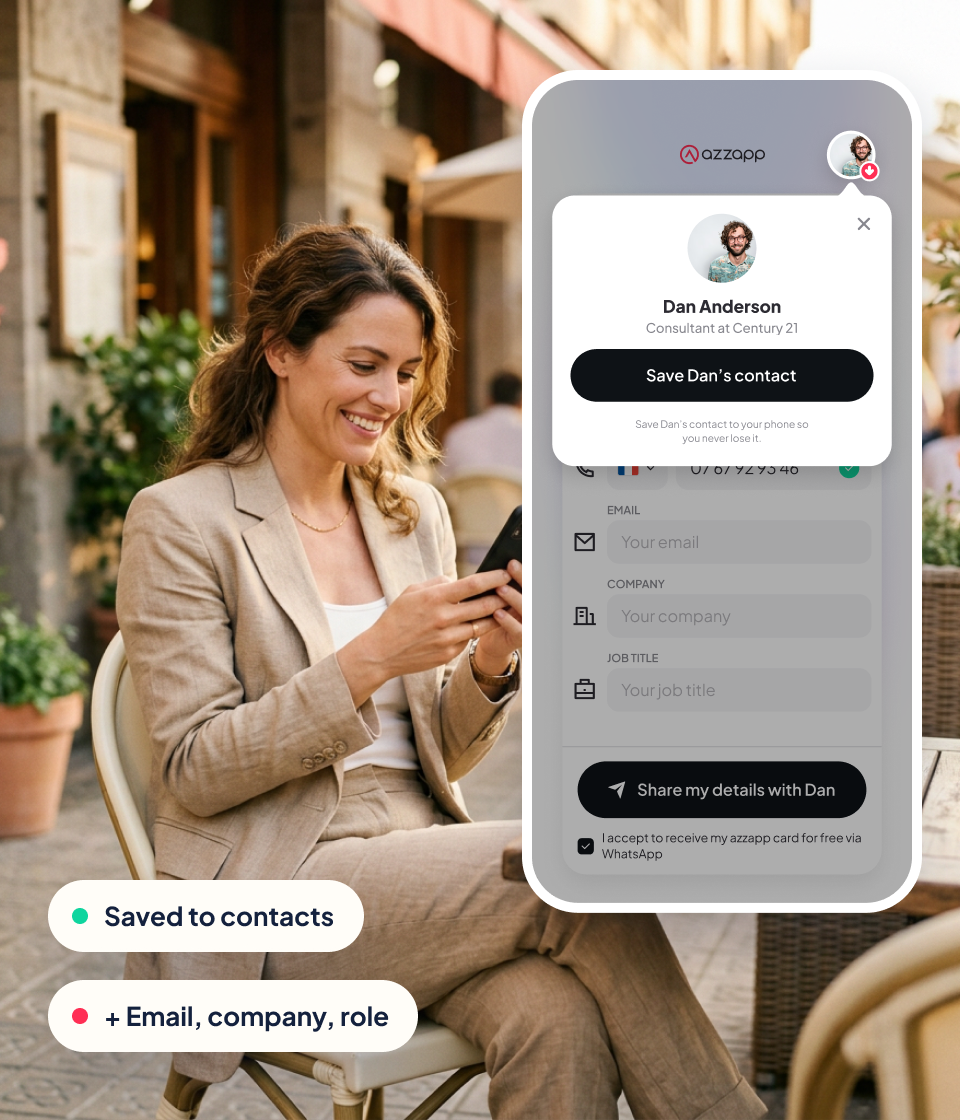
They save your details whenever they want

Right after the meeting, later that day, or next week: they tap the link and your details are saved to their phone in one tap. If they like, they add their own email, company and role.

  • No app to install, no account to create.
  • Your contact saved on their phone in one tap.
  • They can complete their own details, if they want.
A person saving a shared contact on her phone

5Add context by voice

Add context by voice, then let azzapp follow up

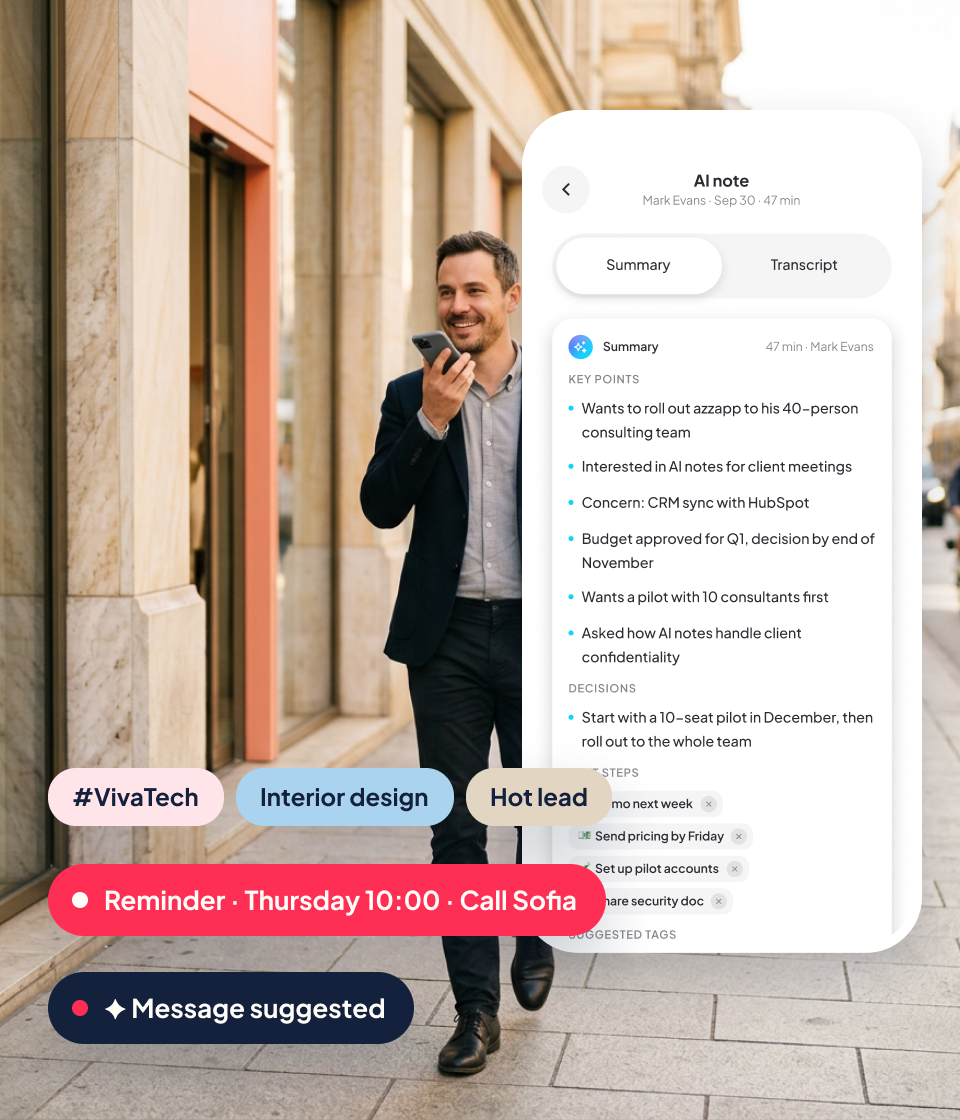
Right after the meeting or later, dictate a few words: what they do, their industry, what you talked about, when to reconnect. azzapp remembers it all for you.

  • Your notes saved with the contact.
  • Tags created automatically.
  • Reminders set, and a follow-up message suggested.
A contact summary with notes, tags and a follow-up reminder

Why it works

01

No app needed on their side

02

Non-intrusive: just a name and a number

03

A contact saved in seconds

04

Nothing to type, nothing forgotten

FAQ

Questions about the exchange

Does the other person need azzapp?

No. They just say their name and number. They receive your card by WhatsApp or SMS and save it in one tap, without installing anything.

What if they don’t use WhatsApp?

azzapp sends the same pre-filled message by SMS.

What exactly do they receive?

A short personal message with a link to your digital business card. One tap saves your details to their phone.

Can I add notes later?

Yes. Right after the meeting or days later, dictate a few words and azzapp adds them to the contact, with tags, reminders and a suggested follow-up.

Your next contact is one
conversation away.

Keep in touch. Meet. Connect. azzapp does the rest.

14 days free, full access.